
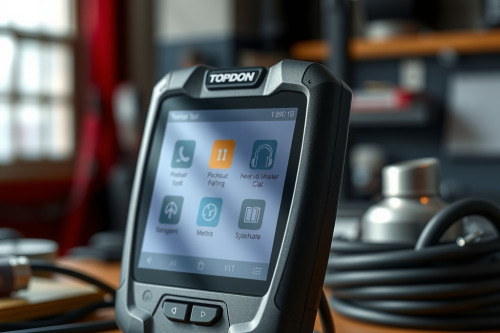
After twenty years of busting knuckles in a busy shop, I have learned that cheap scan tools cost you more in wasted bay time than they ever save up front. When you need deep OEM coding and dependable topology mapping without paying absurd annual subscriptions, finding the right tool is critical. In this candid TOPDON Phoenix Smart review, I will break down how this diagnostic tablet handles real-world shop abuse and tough driveability problems. From wrestling with CAN-bus glitches to flashing modules, here's my honest verdict on whether it deserves a spot on your rolling cart.

Why my TOPDON Phoenix Smart review starts on the shop floor
As a flat-rate tech, nothing drives me up the wall faster than a diagnostic scanner that freezes during a live data logging run or takes five minutes just to pull fault codes. I bought this unit to see if it could actually displace my overpriced legacy tool on daily drivability diagnostics.
The heavy rubberized housing feels solid in your hands, giving you confidence when working over open engine bays. Connecting the VCI dongle under a cluttered dash is smooth, and the Bluetooth link stays solid even when walking across four bays to grab a torque wrench.
Topology mapping and advanced OEM coverage in action
Modern vehicles are rolling network servers, and chasing a dead module on a complex CAN-bus system can turn into a diagnostic rabbit hole without clear network visuals. The color-coded network topology map instantly highlights non-communicating modules and stored fault codes across the entire vehicle.
During testing on European and domestic cars, screen visibility remained crisp under bright shop lights. Live data graphing allows you to stack up to eight PIDs simultaneously, which makes spotting voltage drops or lazy oxygen sensor switches effortless.
Bi-directional controls and cloud programming capability
Executing active tests like fuel pump relays, EVAP vent solenoids, and ABS pump motor bleeding works without hesitation. You don't have to waste time manually back-probing components when you can command them directly from the touchscreen.
Online coding and programming features handle module setup cleanly on supported models without requiring a separate laptop setup. While it won't replace a full OEM pass-thru rig for every single brand, it handles ninety percent of shop programming needs with zero fuss.
Real shop testing: solving a stubborn misfire
Just last Tuesday, I had a stubborn Ford F-150 in my bay with an intermittent misfire under load that had already defeated two other techs. The customer was tired of throwing parts at the truck, and my flat-rate clock was ticking fast.
I plugged in the VCI, booted up the system, and pulled freeze frame data alongside short-term fuel trim values in less than two minutes. The live graphing immediately showed long-term fuel trims spiking high whenever cylinder four misfired, pointing directly to a vacuum leak near the intake runner rather than a failed ignition coil.
Preventing comebacks with thorough scan diagnostics
Pinpointing the exact root cause saved three hours of teardown time and prevented a costly comeback. Using an OBD2 Scanner with fast sampling rates means you catch fleeting signal glitches before they disappear.
Clearing fault codes and running a full health monitor check before returning the key gives both you and your customer complete peace of mind. That speed and accuracy directly translate to more billed hours at the end of the week.
Hardware durability, VCI range, and daily battery life
A tool can have great software, but if the battery dies by noon or the casing cracks after one drop on concrete, it's useless in a real workshop. The built-in battery easily lasts through an eight-hour shift of heavy active testing and constant screen usage.
The included VCI connector features clear LED status lights that let you know immediately if the OBD2 port has power and ground before you start troubleshooting. I dropped the tablet off a rolling cart onto the concrete bay floor last week, and it didn't even skip a beat or scratch the display.
Where this scan tool shines and where it falls short
No diagnostic tool is perfect, and honest feedback is what techs need before spending hard-earned money. On older early two-thousand models, auto-VIN detection can occasionally stall, requiring manual vehicle selection.
Software update downloads can also feel sluggish on slower shop Wi-Fi networks when downloading multi-gigabyte brand packages. However, the speed of response during bi-directional testing and the sheer depth of live parameter data far outweigh these minor software quirks.
Final verdict for your bay: TOPDON Phoenix Smart review
If you want to boost shop efficiency and stop losing money to diagnostic rabbit holes, this tablet delivers heavy-duty performance at a fair price point. My overall TOPDON Phoenix Smart review confirms that this tool earns its keep on the rolling cart every single day.
Inspect your current diagnostic setup, evaluate your daily workload, and order this unit to keep your shop running at peak productivity. Upgrade your diagnostic arsenal today and start fixing complex electrical faults faster than ever.