
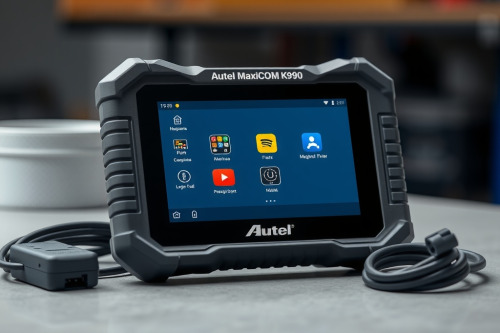
After spending over twenty years busting knuckles in a busy repair shop, I know that losing bay time to a slow diagnostic tool kills your bottom line. That is why I put together this hands-on Autel MaxiCOM MK906 Pro review to help flat-rate techs decide if this unit deserves a permanent spot on their rolling cart. We will look at its real scanning speed, coding capabilities, and whether it prevents comebacks on tough jobs. If you're tired of chasing a diagnostic rabbit hole on modern vehicles, here is what this scanner brings to your shop.

Hands-on testing for our Autel MaxiCOM MK906 Pro review
When you unbox this tablet, the rubberized housing feels rugged enough to survive an accidental drop off a rolling cart. The eight-inch screen stays crisp even when working under direct sunlight outside the shop doors. Plugging the V200 VCI dongle under the heavy dash of a dirty truck takes two seconds, establishing a rock-solid Bluetooth link immediately.
The touch response is crisp, allowing you to swipe through deep system menus without wearing off your shop gloves. Having dependable hardware makes a massive difference when you're knee-deep in grease and trying to pull codes quickly.
ECU coding and bi-directional controls in action
Just last Tuesday, I had a stubborn Ford F-150 in my bay with an intermittent misfire that was driving my flat-rate tech crazy. I hooked up this scanner to run an active cylinder balance test and monitor short-term fuel trim values in real time.
The bi-directional control allowed me to command individual fuel injectors on the fly, pinpointing a clogged injector without pulling the intake manifold. Advanced ECU coding options let you match replaced modules and initialize components fast without sending the customer back to the dealership.
Navigating glitches in this Autel MaxiCOM MK906 Pro review
No tool is perfect when you are busting knuckles every single day. I noticed that the software occasionally hangs for a few seconds when pulling auto-VIN data on older Chrysler platforms.
While online ECU coding works great on late-model BMW vehicles, you'll occasionally run into topology mapping delays on complex CAN-bus architecture. Being transparent about these minor software stumbles helps you set realistic expectations before pulling out your wallet.
Diagnostic speed on modern CAN-bus systems
Processing power matters when you want to avoid falling down a diagnostic rabbit hole. The upgraded processor handles full-system auto scans faster than the older generation units.
Viewing freeze frame data alongside live sensor graphs helps you catch transient voltage drops before throwing expensive parts at a customer car. The speed difference keeps your diagnostic workflow moving smoothly from morning to night.
Preventing comebacks with live data and freeze frame
Preventing comebacks is what keeps your shop doors open and your customers happy. Having rapid access to sensor data like MAF voltage, O2 sensor switching rates, and crank-cam sync states ensures you fix the vehicle right the first time.
Using this OBD2 Scanner for recalibrating steering angle sensors and parking brake service modes saves valuable bay time every afternoon. Reliable readings mean fewer return visits and higher customer trust.
Final technician verdict and practical shop advice
To end this Autel MaxiCOM MK906 Pro review, I recommend inspecting your current workflow needs before buying. If you deal with daily driveability issues, complex electrical diagnostics, and routine module coding, this unit offers top-tier capability without requiring a five-figure tool truck mortgage.
Inspect your shop inventory today, grab the best obd2 scanner for your budget, and upgrade your diagnostic setup to boost your daily billable hours.