
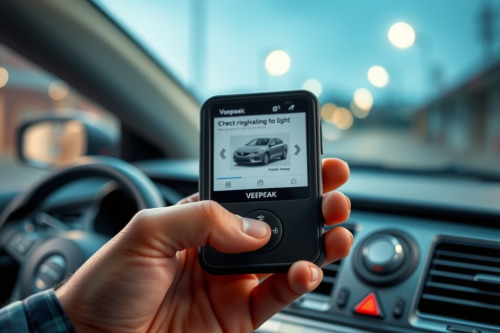
Veepeak OBDCheck BLE review: unlocking real car health
As a lead diagnostic tech busting knuckles every day, I know how cheap wireless dongles usually waste valuable bay time. I tossed this unit on my rolling cart to see if it could handle real troubleshooting without sending me down a diagnostic rabbit hole. This Veepeak OBDCheck BLE review breaks down whether this Bluetooth tool belongs in your toolbox for preventing comebacks. It promises quick code reading across iOS and Android platforms without locking you into expensive monthly subscriptions.
Hardware build and setup in a Veepeak OBDCheck BLE review
The device itself is compact and plugs directly into any standard OBD2 port under the dash. As a flat-rate tech, I appreciate tools that don't stick out where your knees can hit them during test drives. The shell feels surprisingly sturdy for a budget dongle.
Connecting via Bluetooth 4.0 is straightforward on both iOS and Android phones. You don't need to manually pair it in your phone settings first. Just open your preferred diagnostic app and select the adapter inside the app menu.
Real bay testing and live data speed on the vehicle
Wireless adapters live or die by their data transfer rates. While testing live sensor graphs, the connection remained stable without dropping frames or freezing mid-stream.
It reads basic fault codes, turns off the check engine light, and pulls freeze frame data effortlessly. However, refresh rates slow down when you stack more than four live parameters on the screen at once.
Tackling a stubborn misfire on a Ford F-150
A beat-up Ford F-150 rolled into my bay with an intermittent misfire under load. Using the dongle paired with Car Scanner ELM OBD2, I monitored live cylinder misfires while driving around the block.
The live PID graphing caught cylinder four dropping ignition timing right as torque requested spiked. Having this quick data on my phone saved me twenty minutes of setup compared to wheeling out a heavy diagnostic console.
Third-party app compatibility and hidden software costs
You must remember that Veepeak only manufactures the hardware interface. You need third-party apps like Torque Pro, OBD Fusion, or BimmerCode to use it.
Some of these third-party apps require paid upgrades or subscriptions for advanced manufacturer-specific features. Factor in an extra ten to thirty dollars for software when budgeting for this tool.
Comparing the dongle to a dedicated best obd2 scanner
If you need bidirectional control or ECU coding across multiple car brands, a dedicated handheld unit still wins. However, for quick code sweeps and basic live sensor data, this small adapter rivals any entry-level best obd2 scanner on the market.
It stays in your pocket or glovebox ready for road tests or parking lot triage. That portability makes it a valuable asset for preventing comebacks when customers come back with mysterious dash lights.
Final verdict for the Veepeak OBDCheck BLE review
For DIY mechanics and working techs who want a reliable backup reader, this wireless adapter delivers solid performance without breaking the bank. It streamlines your initial diagnostic workflow and keeps your shop moving efficiently.
Did this Veepeak OBDCheck BLE review help clear up your buying decision? Leave a comment below with your favorite diagnostic app or share this guide with your fellow techs in the shop.