
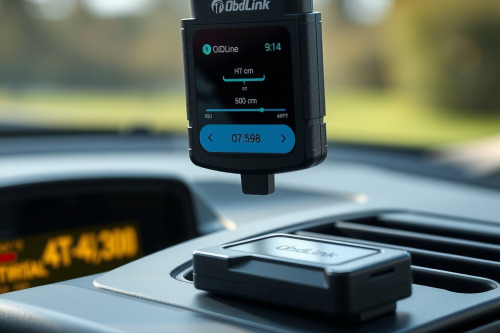
As a lead diagnostic tech, I need gear that pulls live sensor data without dropping connections while I am working under the dash. I put together this OBDLink LX bluetooth obd2 adapter review after testing the dongle on customer vehicles in my bay. Cheap ELM327 knockoffs constantly stall out and waste valuable time when reading PID logs. This unit promises fast data throughput and stable wireless pairing to keep your workflow moving smoothly.

Unboxing the hardware for an OBDLink LX bluetooth obd2 adapter review
When busting knuckles all day, you can't waste effort on flimsy plastic tools that snap off in the data link connector. The OBDLink LX feels solid in the hand, featuring a compact casing that fits tight spaces under steering columns. It sits flush enough so your knees won't hit it while test driving a customer vehicle.
Unlike generic scan tools on my rolling cart, this unit utilizes proprietary battery saver technology to prevent battery drain if left plugged in. I hooked it up to a stubborn Ford F-150 that had an intermittent misfire issue, expecting the usual connection lag. The red and green activity light indicators immediately provided quick visual feedback that the hardware was active and communicating with the network.
Data processing speed and throughput test
Data refresh rates make or break any Bluetooth diagnostic tool when chasing ghost misfires or oxygen sensor lag. The internal architecture processes requests significantly faster than standard wireless adapters, pushing up to eighty sample frames per second on supported networks. That level of response helps catch quick voltage drops that lesser tools completely skip.
During my diagnostic procedures, I loaded dynamic graphing to monitor fuel trims alongside mass airflow sensor readings simultaneously. The interface rendered fluid curves without dropping frames or freezing mid-test. Saving precious bay time comes down to these rapid updates, allowing a flat-rate tech to pinpoint faulty components without guessing.
App ecosystem and software limitations
This adapter operates seamlessly with popular third-party apps like Torque Pro and OBDwiz on Android and Windows platforms. However, potential buyers should note its strict operating system limitations before pulling out their wallet. It doesn't support Apple iOS devices due to Bluetooth hardware chipset constraints, which might frustrate iPhone users in the shop.
While it excels as a fast OBD2 Scanner for powertrain diagnostics, it doesn't offer deep dealer-level bidirectional controls or module programming. You can read clear engine light trouble codes, monitor live sensor data, and check smog readiness monitors across standard OBD protocols. However, accessing advanced body control modules or ABS systems requires upgrading to higher-tier scan tools.
Real shop testing and our OBDLink LX bluetooth obd2 adapter review verdict
Avoiding a diagnostic rabbit hole requires accurate raw data before you start tearing down mechanical components. Last week, a stubborn truck entered my bay with a recurring lean code that two other techs failed to fix properly. Using this adapter paired with advanced diagnostic software, I traced a hairline vacuum leak through real-time short-term fuel trim spikes during important engine loads.
Accurate readings allowed me to replace the leaking intake gasket on the first try, preventing comebacks and keeping the customer happy. The tool paid for itself on that single job by providing clean, uncorrupted PID telemetry without dropouts. Reliability under heat and continuous operation makes it a trustworthy addition to any technician tool drawer.
Final thoughts on the OBDLink LX bluetooth obd2 adapter review
Want to streamline your repair process and stop guessing at live engine data, adding this device to your setup is a smart move. It provides the speed and stability needed for daily troubleshooting without taking up valuable shop space. The lack of iOS support and advanced bi-directional control are minor trade-offs for its fast communication speed and budget-friendly price point.
What tools are you currently using on your shop floor to capture live vehicle telemetry? Drop your thoughts in the comments below and share this article with your fellow mechanics.