
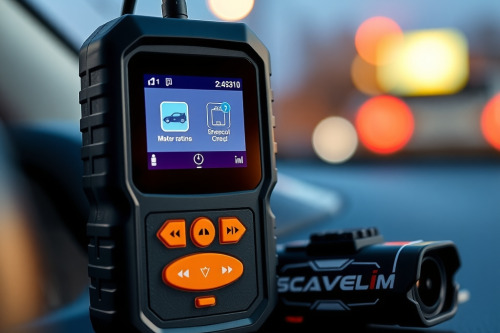
NCEL AD310 OBD2 Scanner review: real shop tech analysis
I spent all morning pulling my hair out over a misfiring Chevy truck before grabbing a simple code reader to check basic freeze frame data. As a lead diagnostic tech, preserving precious bay time and preventing comebacks is how I stay profitable on a flat-rate pay plan. This NCEL AD310 OBD2 Scanner review covers how a basic code reader fits into a real repair workflow without sending you down a diagnostic rabbit hole. It won't replace a high-end factory scan tool, but it gets quick answers right at your rolling cart.

Unboxing the NCEL AD310 OBD2 Scanner for quick triage
When you're busting knuckles all day, you do not want to pull out a five-thousand-dollar diagnostic console just to read a simple check engine light. The NCEL AD310 OBD2 Scanner is a compact plug-and-play device that sits right on top of my rolling cart. It draws power directly from the OBD2 port, so you never worry about dead internal batteries during a busy shift.
The housing feels sturdy enough to survive an accidental drop on concrete. The cable is thick enough to handle daily garage abuse, and the screen display is clear under shop fluorescent lighting. For any flat-rate tech, having a quick tool to triage incoming vehicles saves time before committing to deeper testing.
NCEL AD310 OBD2 Scanner live data capabilities
Reading standard powertrain DTCs with this unit is fast and simple. You plug it into the 16-pin connector, switch the ignition on, and the device links with the PCM in seconds. It displays standard global OBD2 codes alongside freeze frame data that captures engine parameters the moment a fault triggers.
You can monitor live data streams such as coolant temperature, calculated load, and engine speed. While it lacks graph plotting and bi-directional controls, the text feed updates quickly enough to spot a sticking thermostat or a bad oxygen sensor. Using a dependable OBD2 Scanner for these basic checks keeps simple jobs moving through the shop.
Where cheap code readers fall short on complex jobs
Every entry-level diagnostic tool has its limits when dealing with modern vehicle networks. The NCEL AD310 OBD2 Scanner only talks to standard powertrain protocols and ignores supplementary modules like ABS, SRS, or body control systems. If a customer comes in with a traction control warning, this unit won't help you.
Paid software updates and advanced coding functions are non-existent here. You can't perform throttle body relearns, steering angle resets, or diesel particulate filter regenerations. Knowing when to put down a basic reader and grab an OEM level tool is crucial for preventing comebacks and avoiding unnecessary guesswork.
Diagnostic rabbit hole story: the stubborn Ford F-150
A few weeks back, a customer brought in a Ford F-150 with a random misfire under heavy acceleration. The driver was convinced the transmission was slipping, which could have led me down a deep diagnostic rabbit hole. I hooked up the NCEL AD310 OBD2 Scanner to verify stored fault codes before pulling any heavy parts.
The tool instantly pulled a pending P0304 code pointing to cylinder four along with freeze frame data showing high fuel trim values under load. A quick inspection revealed a cracked spark plug insulator and a weak coil boot. Fixing the ignition issue saved hours of unnecessary transmission testing and got the truck out of my bay quickly.
NCEL AD310 OBD2 Scanner review: shop implementation and verdict
In our NCEL AD310 OBD2 Scanner review, this unit proves its worth as a lightweight primary tool for quick vehicle intake. It's perfect for garage enthusiasts and professional mechanics who need a fast code reader for initial vehicle scans without spending big money.
Every flat-rate tech should keep a dependable budget reader nearby to protect valuable bay time. Do you use a dedicated code reader for fast checks, or do you grab your full-size console every time? Drop a comment below and share your thoughts with fellow technicians.